 |
| Software Simulasi Untuk Belajar Fisika |
Tampilkan postingan dengan label Kumpulan software fisika. Tampilkan semua postingan
Tampilkan postingan dengan label Kumpulan software fisika. Tampilkan semua postingan
Sabtu, 21 Desember 2013
Software Simulasi Untuk Belajar Fisika (Physion)
Ada sebuah software simulasi fisika dengan nama Physion, dimana software ini akan menampilkan simulasi dari efek fisika. Pengguna, dengan menggunakan alat Physion, dapat membuat berbagai benda-benda fisik (lingkaran, poligon, roda gigi, dll) dan sendi(misalnya mata air, katrol dll) yang mematuhi hukum Fisika. Dengan cara ini pengguna dapat melakukan percobaan dengan menciptakan berbagai adegan / skenario yang dapat dilakukan secara percobaan fisika sederhana atau struktur kompleks / mekanisme .
Anda dapat membuat lingkaran, segi empat, poligon, roda gigi, rantai, tali, balon dan banyak item fisika lainnya. Anda juga dapat menghubungkan mereka item menggunakan mata air, puli, paku dan jenis-jenis sendi. Dengan cara ini Anda dapat membuat berbagai adegan / skenario yang berkisar dari percobaan pendidikan sederhana untuk struktur kompleks dan mekanisme.

Sabtu, 26 Oktober 2013
Software Permainan Fisika, Play & Learn
 |
| Software Permainan Fisika, Play & Learn |
Dalam Play & Learn terdapat teori ringkas materi-materi dasar Fisika, dilengkapi contoh soal dalam bentuk eksperimen, jawaban dan pembahasannya, dan juga skor bila kita benar ataupun salah memilih jawaban.
Meski kita pindah-pindah materi, maka skor lama tetap dicatat dan tidak akan bisa kita kembalikan ke awal sebelum aplikasi atau aplikasi ini direstart. Kita tidak diperkenankan berlaku curang.
Rabu, 23 Oktober 2013
Kumpulan software untuk membuat simulasi fisika
Termasuk berbagai 'permainan' yang menggunakan simulasi fisika. Banyak memungkinkan pengguna untuk membuat alat-alat mereka sendiri atau hanya bereksperimen dengan berbagai ide. Termasuk mainan fisika, simulator fisika, rube Goldberg game, fisika sandbox dll.
Blockyard (~96.5MB) [W]
http://www.blockyard.com/
Blockyard allows players to build whatever contraption they desire using basic building blocks (see pic). The player lives in a surreal world with floating islands and even features a gremlin!

Note:
1. This game is a work-in-progress and certain features like the ability to save have not been implemented yet, but are probably on the way.
2. There is also an online version that can be played but required the unity web player.
3. There is no help file but players should find it easy to navigate the world.
Crayon Physics(~5MB)
http://www.kloonigames.com/blog/games/crayon
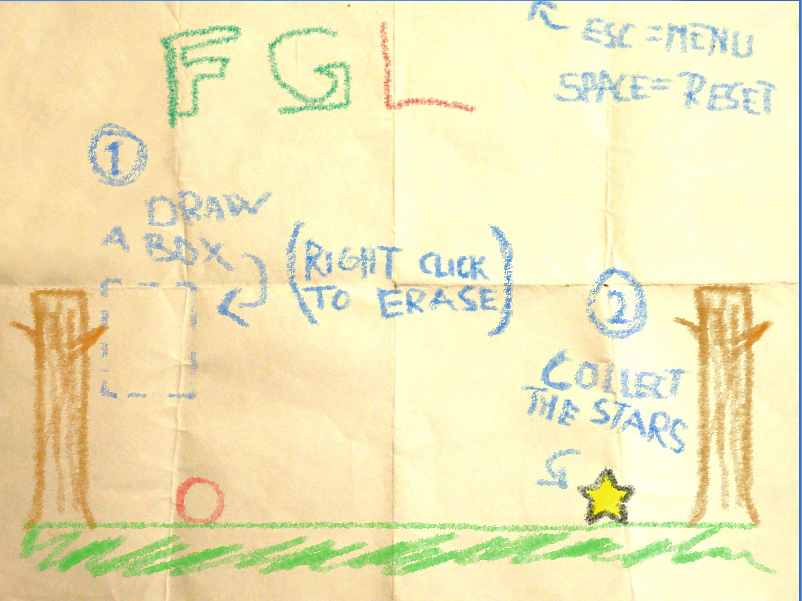
 Simple but short physics based game, where the goal of every level is to move the red ball/circle so that it touch the star(s). You can use your mouse to create blocks or sticks to get your circle to the star(s).
Note: This is a very short game, only 7 levels. Some people may confuse this game for Crayon Physics deluxe where you can create far more objects in the game.
The developer has created a new version with much more functionality as a commercial product called Crayon Physics Deluxe.

Dax Phyz(9.73MB)[W]
http://phyz.ath.cx/
Another powerful 2.5D (?) Physics simulator. With Dax Phyz you can simulate soft body as well as rigid body dynamics. It has a host of features many of which are not available in other programs. Some of the main features include:
Note: The Dax Phyz user interface is not as refined (or as intuitive) as most other physics simulators and can take a while to get use to. Make sure to read the FAQ to help you to get to grips with the program.
Dax Phyz Wikipedia Page
Golems(~12MB) Open Source [WML]
http://www.golemgame.com/index.html
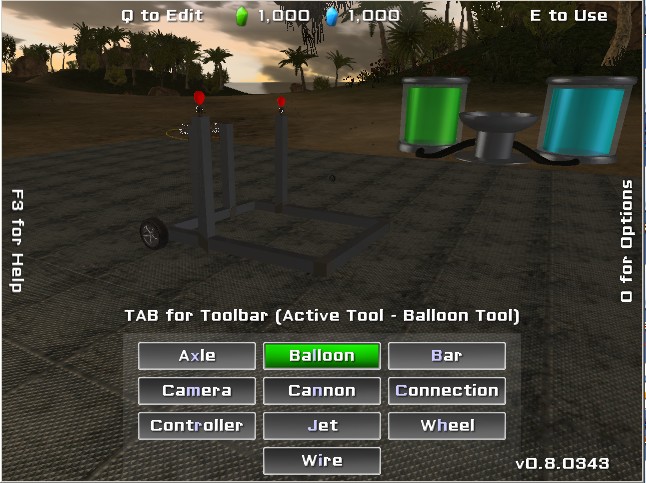
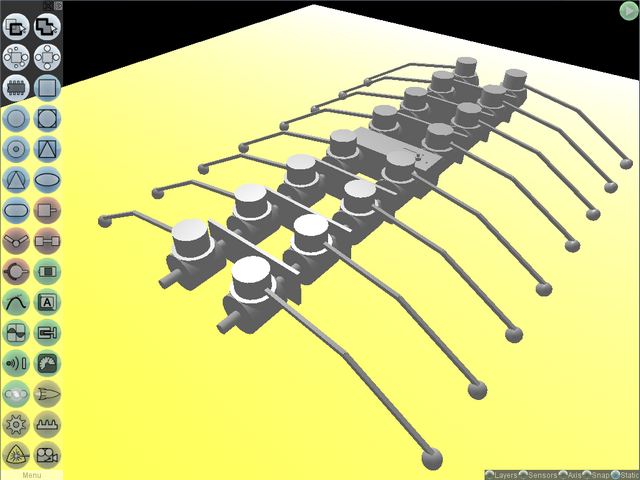
 Powerful 3D 'Universal Constructor' that allows users to create complex 3D contraptions. Create cars, robots almost anything your heart desires! (pic from site)
Note:
1.Make sure to read the manual.
2.Requires a graphics card that supports opengl (1.2 or above?)
3. Requires Java 5 or above.
Fun-Motion's thread for Golems (Note it's old, ie 2008)
Incredibots 2 Jaybit edition(~3MB)
http://incredibots.com/
 Well known contraption building game made in flash that was recently revived. You can use motors, pistons,thrusters and even canons! Includes various challenges to achieve as well a tutorial mode.
Note you can play online or download the game if you wish. And newer versions may be out soon with more features.
Laputan Blueprints (~20MB)
https://sites.google.com/site/laputanblueprints/
 Laputan Blueprints is the successor of the RigidChips (listed below on this page, but no longer being improved), and allows users to create almost any kind of 3D vehicle or contraption, although it is more focused on vehicle building. The vehicles can be used on water, land or in the air. Luptan Blueprints has many improvements over RigidChips and the key improvements include:
Built in editor, which includes the ability to change the type of materials being used (eg Wood, metal, plastic rubber etc..)
Models are now made up of blocks and/or cylinders of any size or shape (compared to fixed size and shape 'chips' of RigidChips)
Graphics of both the contraptions and the program have significantly increased.
Note:
1. Laputan Blueprints needs a more modern computer to run on that has support for OpenGL, For older systems RigidChips is recommended.
2. Laputan Blueprints and RigidChips are not compatible, ie contraptions made in one program cannot work on the other (except for Land).
3. Even with the built-in editor, Laputan Blueprints like its predecessor, is more complicated to use than other physics 'games' on this page. It requires time and patience to use this program, but the results are often worth it!
Non-official Laputan Blueprints Forum
OE-CAKE(~4MB)
http://www.mediafire.com/?m5oqzijemyx
 Another impressive physics simulator. Its actually a 'hybrid' physics simulator that allows you to experiment with both chemicals (such as water and gas) as well as create various objects/contraptions such as adding rigid objects. It also allows you to import your own custom images as both backgrounds as well as objects to manipulate. You can also change the style in which the the simulations are displayed on the screen which is rather unique. It also has unique options to try and play around with.
Note. A special feature is the ability to create your own materials by mixing various substances together called Recipes.
You will need a relatively good graphics card to be able to add pictures to OE-CAKE as well as use the Blob or Blob and Texture styles. To add pictures to OE-CAKE drag and drop them into the scene. (picture formats include:.PNG .GIF .SVG or .TIFF with support for transparency for applicable image formats)
OE-CAKE Wikipedia Page
Scuzzstuff page for OE-CAKE (Contains some tutorials.)
OE-CAKE Recipes (To use the recipes press Esc on keyboard type the recipe then press Esc again)
OE-CAKE WIKI
If you have problems running OE-cake click here.
Sumber: http://freegameslist.weebly.com/physics-games.html
Blockyard (~96.5MB) [W]
http://www.blockyard.com/
Blockyard allows players to build whatever contraption they desire using basic building blocks (see pic). The player lives in a surreal world with floating islands and even features a gremlin!
Note:
1. This game is a work-in-progress and certain features like the ability to save have not been implemented yet, but are probably on the way.
2. There is also an online version that can be played but required the unity web player.
3. There is no help file but players should find it easy to navigate the world.
Crayon Physics(~5MB)
http://www.kloonigames.com/blog/games/crayon
Note: This is a very short game, only 7 levels. Some people may confuse this game for Crayon Physics deluxe where you can create far more objects in the game.
The developer has created a new version with much more functionality as a commercial product called Crayon Physics Deluxe.
Dax Phyz(9.73MB)[W]
http://phyz.ath.cx/
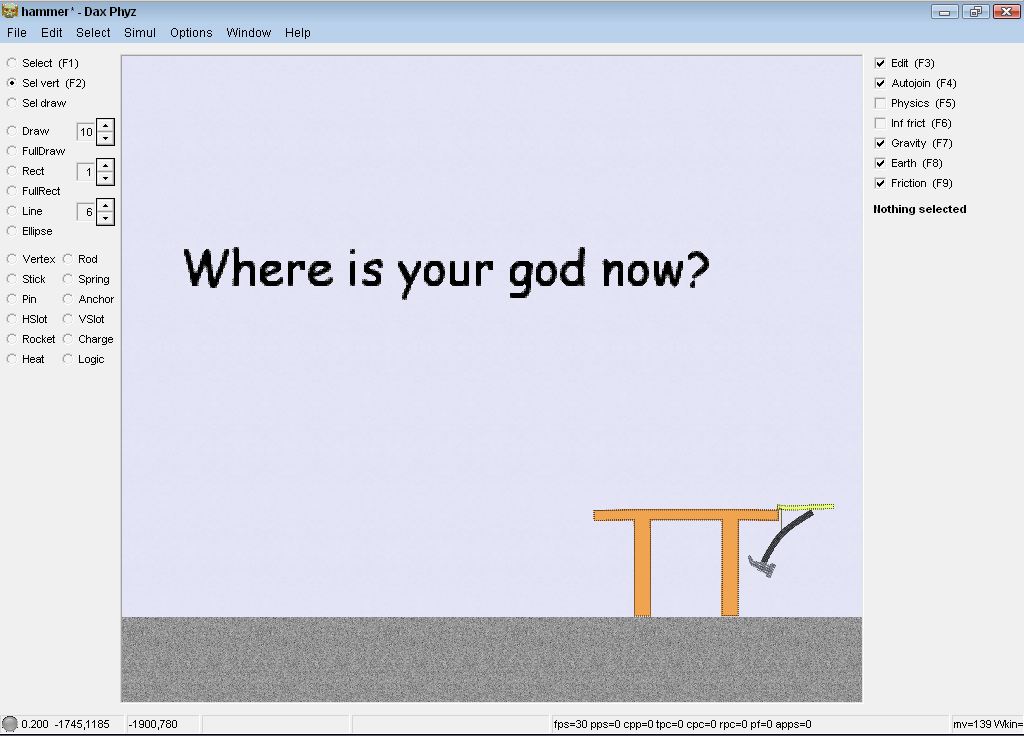
Another powerful 2.5D (?) Physics simulator. With Dax Phyz you can simulate soft body as well as rigid body dynamics. It has a host of features many of which are not available in other programs. Some of the main features include:
- Deformable and breakable objects (in soft body dynamics) with sound!
- Ability to edit the properties of objects/materials at the molecular level.
- Import bitmaps to use in simulations.
- Supports programming using Phyzlizp are variation of the Lisp programming language. (Separate download)
- Supports Metaballic effects, make materials looks more realistic, requires a good graphics card for the metaballic effect.
- Uses Stochastic algorithms which means that simulations will never yield exactly the same results. (Full Features List)
Note: The Dax Phyz user interface is not as refined (or as intuitive) as most other physics simulators and can take a while to get use to. Make sure to read the FAQ to help you to get to grips with the program.
Dax Phyz Wikipedia Page
Golems(~12MB) Open Source [WML]
http://www.golemgame.com/index.html
Note:
1.Make sure to read the manual.
2.Requires a graphics card that supports opengl (1.2 or above?)
3. Requires Java 5 or above.
Fun-Motion's thread for Golems (Note it's old, ie 2008)
Incredibots 2 Jaybit edition(~3MB)
http://incredibots.com/
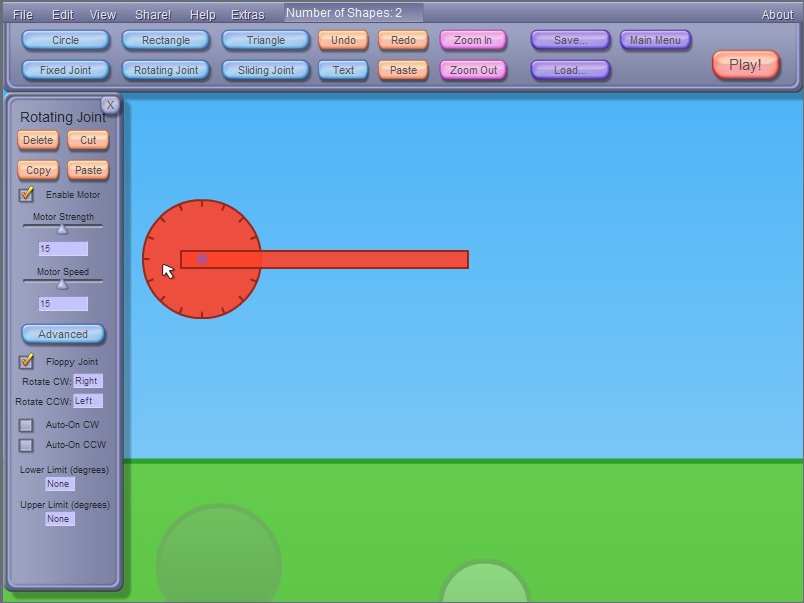 Well known contraption building game made in flash that was recently revived. You can use motors, pistons,thrusters and even canons! Includes various challenges to achieve as well a tutorial mode.
Note you can play online or download the game if you wish. And newer versions may be out soon with more features.
Laputan Blueprints (~20MB)
https://sites.google.com/site/laputanblueprints/
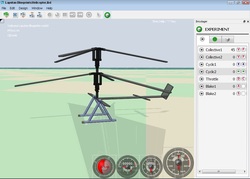
Built in editor, which includes the ability to change the type of materials being used (eg Wood, metal, plastic rubber etc..)
Models are now made up of blocks and/or cylinders of any size or shape (compared to fixed size and shape 'chips' of RigidChips)
Graphics of both the contraptions and the program have significantly increased.
Note:
1. Laputan Blueprints needs a more modern computer to run on that has support for OpenGL, For older systems RigidChips is recommended.
2. Laputan Blueprints and RigidChips are not compatible, ie contraptions made in one program cannot work on the other (except for Land).
3. Even with the built-in editor, Laputan Blueprints like its predecessor, is more complicated to use than other physics 'games' on this page. It requires time and patience to use this program, but the results are often worth it!
Non-official Laputan Blueprints Forum
OE-CAKE(~4MB)
http://www.mediafire.com/?m5oqzijemyx
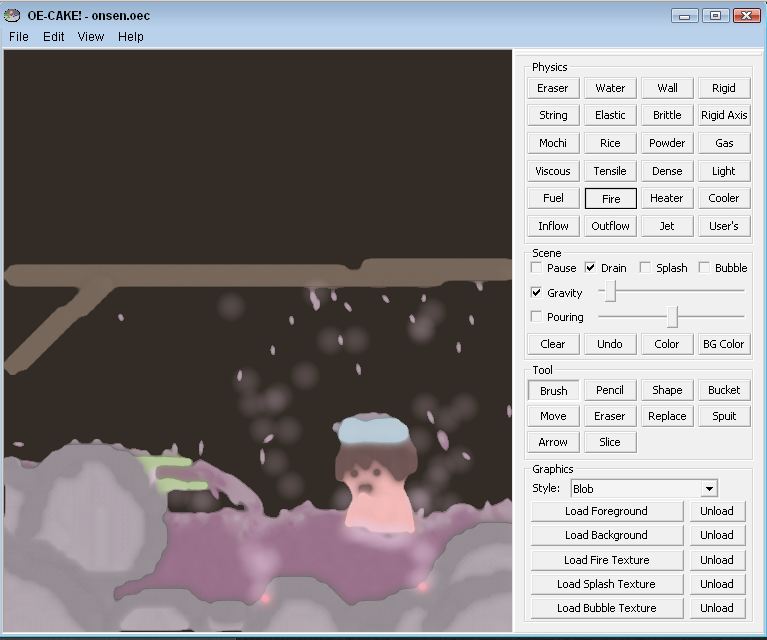
Note. A special feature is the ability to create your own materials by mixing various substances together called Recipes.
You will need a relatively good graphics card to be able to add pictures to OE-CAKE as well as use the Blob or Blob and Texture styles. To add pictures to OE-CAKE drag and drop them into the scene. (picture formats include:.PNG .GIF .SVG or .TIFF with support for transparency for applicable image formats)
OE-CAKE Wikipedia Page
Scuzzstuff page for OE-CAKE (Contains some tutorials.)
OE-CAKE Recipes (To use the recipes press Esc on keyboard type the recipe then press Esc again)
OE-CAKE WIKI
If you have problems running OE-cake click here.
Sumber: http://freegameslist.weebly.com/physics-games.html
Selasa, 22 Oktober 2013
Software simulasi untuk pelajaran fisika Crocodile physics
 |
| Software simulasi untuk pelajaran fisika |
Crocodile physics adalah sebuah software untuk simulasi pelajaran fisika. Simulasi sirkuit , membuatnya menjadi alat yang ampuh.
Salah satu fitur keren dari Crocodile physics adalah kemampuan untuk membangun sirkuit dengan gambar perangkat yang sebenarnya - item sirkuit sebenarnya dapat dimanipulasi ( dihidupkan , off) dengan menghasilkan animasi lampu menerangi , sekering terbakar ( atau meledakkan ! ) , voltmeter berdenyut , dll
Salah satu keuntungan nyata dari program ini adalah pelajaran disertakan. Siswa dapat ditugaskan untuk bekerja melalui pelajaran yang sangat baik yang meliputi simulasi pre-built . Siswa dipandu melalui konsep , misalnya , sirkuit paralel , dengan instruksi , tugas untuk melakukan dan pertanyaan .
Crocodile physics mendapat nilai tinggi untuk menyediakan lingkungan yang besar untuk eksplorasi bebas dari sirkuit - siswa akan menikmati betapa mudahnya untuk digunakan dan akan bersenang-senang menonton sirkuit merespon .
Sumber: http://www.bcscience9.com/pgs/idea_u3_croc_physics.html
Minggu, 20 Oktober 2013
Download Software Oscilloscope
Askiloskop adalah sebuah Piranti Digital yang berfungsi untuk menampilkan gelombang. Kalau kita mengenal, Mikroskop adalah alat untuk melihat yang mikro=kecil=renik, lalu Teleskop alat untuk melihat yang tele=jauh, maka Oskiloskop adalah alat untuk melihat yang oscill=bergoyang=gelombang.
 |
| Download Software Oscilloscope |
Dengan Oskiloskop, kita bisa menentukan besarnya Tegangan, dan dengan Oskilskop kita juga bisa menentukan Frekuensi (jumlah getaran tiap detik) dari sebuah gelombang. Sebagai misal: Listrik PLN ternyata memiliki tegangan kisaran 220 volt, dan frekuensi kisaran 50 Hz.
Software Oskiloskop dapat di Download DISINI
http://www.oscilloscope-lib.com/
Bukan hanya itu, tetapi kita yang biasa mendengarkan musik lewat apapun bentuk alatnya: Kmputer, VCD, DVD, MP3 biasa, MP4, HP, Tape atau Radio,…dsb, maka bila kabel kita colokkan ke Oskiloskop, suara musik itu bisa kita lihat bentuk geolombangnya. Bisa kita tentukan tegangannya dan bisa kita hitung frekuensinya.
Dan yang tidak kalah menarik adalah, saat kita gabungkan dua buah gelombang dengan orinetasi berbeda (horizontal + vertikal), Oskiloskop akan menampilkannya dalam bentuk Gelombang “estetis” Lissayous.
Sumber: http://pakarfisika.wordpress.com/2008/07/27/software-pembelajaran-fisika/
Senin, 07 Oktober 2013
Software fisika Radioaktivitas Interaktif
 |
| Software fisika Radioaktivitas Interaktif |
Nah, menjelang berakhirnya materi pelajaran Fisika dikelas XII SLTA, maka Fisika Modern (Radiasi benda Hitam, Teori Atom, Relativitas, Radioaktivitas) kadang menjadi kendala, hususnya dalam memahami konsep secara utuh.
Semoga kehadiran software ini mampu meberikan satu jalan kemudahan. Silahkan klik di Plasma Laboratory ini. Meski harus meraba-raba, yaa itung2 buat latihan melancarkan kemampuan berbahasa Inggris kita para guru.
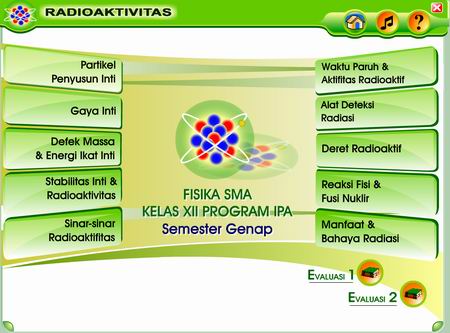
Khusus materi Radioaktif, di negeri kita Indonesia ini juga ada programmer (tim dari PT. Brainmatics Cipta Informatika) yang telah membuat softwarenya. Saya biasa pakai software basis Flash ini, yang tidak hanya menarik tetapi sangat ringan dan beresolusi tinggi. Kelemahnnya, software ini berlisensi, dan harus beli.
Bagi yang juga sudah punya, selamat deh…. dan berikut screenshot nya:
sumber: http://pakarfisika.wordpress.com/2008/07/27/software-pembelajaran-fisika/
Sabtu, 05 Oktober 2013
Download Software fisika Konversi Satuan
 |
| Download software konversi satuan |
Unit converter pro ini sekalipun tampilannya sangat sederhana, tapi isinya sangat padat dan lengkap. Hampir setiap konversi satuan yang kita butuhkan selalu ada disana. Hanya saja, mungkin beberapa tidak akan kita temui.
Maka dari itu kita sebaiknya tidak hanya memiliki satu software konversi saja. Melainkan harus di-mix dengan software converter yang lain seperti Free Unit Converter, atau Versaverter, dll. Semua software-software tersebut sifatnya akan saling melengkapi.
OK sobat semua, langsung download saja Unit Converter Pro di situsnya http://www.unitconverterpro.com/
Kamis, 03 Oktober 2013
Software untuk menghitung soal-soal fisika
 |
| Software untuk menghitung soal-soal fisika |
Physics 101 SE v7.0 adalah software untuk menghitung soal-soal fisika jadi kita tidak perlu membuka runus-rumus lagi.
Disini kita tinggal memasukkan angka-angka yang ada di dalam soal ke kolom yang sudah di sediakan dan dengan otomatis software akan menjawabnya.
rumus-rumus yang bisa di proses oleh software ini yaitu:
- kecepatan dan percepatan
- vektor
- dinamika newton
- usaha danenergi
- momentum
- gravitasi
- rotasi
- fluida
- termodinamika
- dll
Download di sini: http://files.indowebster.com/download/files/Physics_101_SE_v70_Portablerar
Sumber: http://scienceprogramme.blogspot.com/2012/10/physics-101-se-v70-software-untuk-siswa.html
Kamis, 26 September 2013
PhET Situs simulasi pembelajaran fisika dan kimia
 |
| PhET Situs simulasi pembelajaran fisika dan kimia |
PhET (Physics Education Technology)ialah sebuah situs yang menyediakan simulasi pembelajaran fisika dan kimia yang gratis untuk di download untuk kepentingan pengajaran di kelas atau dapat digunakan untuk kepentingan belajar individu. PheT merupakan software pembelajaran dari Universitas Colorado.
Simulasi yang disediakan PhET sangat interaktif yang mengajak siswa untuk belajar dengan cara mengeksplorasi secara langsung. Simulasi PhET ini membuat suatu animasi fisika yang abstrak atau tidak dapat dilihat oleh mata telanjang, seperti : atom, elektron, foton, dan medan magnet. Interaksi yang dilakukan berupa menekan tombol, menggeser benda atau memasukkan suatu data. Kemudian saat itu juga akibat dari interaksi yang dilakukan akan segera terlihat.
Simulasi Online / Coba langsung di situs PhET
http://phet.colorado.edu/simulations/index.php?cat=Featured_Sims
atau
Download Full Installation
http://phet.colorado.edu/get_phet/full_install.php
Sumber: http://budakfisika.blogspot.com/2008/11/download-phet.html
Kamis, 19 September 2013
Phun Software simulasi fisika 2D
 |
| Software simulasi fisika Phun |
Phun adalah suatu aplikasi emulasi fisik 2D. Aplikasi ini adalah hasil thesis dari Emil Ernerfeldt. Phun sendiri bisa dijadikan sebagai aplikasi-iseng-pembunuh-waktu, pokoknya untuk have fun-lah.
Di Phun ini kita bisa membuat simulasi mesin, simulasi catapult launcher, main-main dengan penghancur dinding. Pokoknya macam-macam rupa fisika deh. Kalau butuh inspirasi, ada banyak video tentang phun di youtube. http://www.youtube.com/group/phun
Untuk mengunduh Phun cukup kunjungi laman ini: http://www.phunland.com
Sumber: http://bayu.freelancer.web.id/2008/04/22/have-phun-with-physics/
Kamis, 12 September 2013
Download software untuk belajar Termodinamika
Software-software ini berguna untuk belajar termodinamika, apalagi dijaman sekarang sudah banyak komputer apa lagi laptop yang bisa ditenteng kemana-kemana dan memudahkan buat belajar Termo secara mudah dan kapanpun dimana pun .Selain itu ada software yang dapat membantu dalam memecahkan soal-soal termodinamika.
CYCLEPAD
Software ini sebenarnya lama banget dan dulu pernah pake waktu jaman masih pake disket floppy yang canggih pada waktu itu...tapi sekarang juga masih berguna untuk memahami bagaimana proses dan desain siklus uap, gas, mesin kalor dan mesin pendingin. Menariknya lagi bisa diinstal di Windows dari 311 sampe XP...klo vista daku belum tau...
Software ini berguna untuk mengetahui properti-properti dan juga cara kerja bebragai macam siklus-siklus termodinamika. Programnya sederhana, light ato enteng, tetapi sangat baik untuk memahami dan mendesain siklus-siklus termodinamika.
COMPUTER AIDED TERMODYNAMIC TABLE
Software ini berguna buat menyelesaikan soal-soal termodinamika.
Bisa bantu dalam mencari properti-properti state suatu fluida. Biasanya daku pake tabel-tabel properti atau grafik yang ada di lampiran buku termodinamika dan terkadang butuh proses interpolasi.
Tetapi dengan menggunakan software ini kita tidak perlu repot-repot membuka-buka tabel properti termodinamika dan juga tidak usah susah-susah mencari interpolasi....karena dengan software ini langsung bisa ketemu properti-properti lain yang belum diketahui.
Computer-Aided Thermodynamic ini sangat berguna ketika kita mengerjakan soal-soal termodinamika...tapi daku tidak tau apakah kalo ujian boleh bawa laptop ato didepan komputer..:D...bagaimanapun juga harus anda-anda harus tau bagaimana cara menggunakan tabel dengan cara manual....
Sumber: http://fridianto.blogspot.com/2011/01/software-software-yang-berguna-untuk.html
CYCLEPAD
Software ini sebenarnya lama banget dan dulu pernah pake waktu jaman masih pake disket floppy yang canggih pada waktu itu...tapi sekarang juga masih berguna untuk memahami bagaimana proses dan desain siklus uap, gas, mesin kalor dan mesin pendingin. Menariknya lagi bisa diinstal di Windows dari 311 sampe XP...klo vista daku belum tau...
 |
| Download software untuk belajar Termodinamika |
COMPUTER AIDED TERMODYNAMIC TABLE
Software ini berguna buat menyelesaikan soal-soal termodinamika.
Bisa bantu dalam mencari properti-properti state suatu fluida. Biasanya daku pake tabel-tabel properti atau grafik yang ada di lampiran buku termodinamika dan terkadang butuh proses interpolasi.
 |
| Termodinamika tabel |
Tetapi dengan menggunakan software ini kita tidak perlu repot-repot membuka-buka tabel properti termodinamika dan juga tidak usah susah-susah mencari interpolasi....karena dengan software ini langsung bisa ketemu properti-properti lain yang belum diketahui.
Computer-Aided Thermodynamic ini sangat berguna ketika kita mengerjakan soal-soal termodinamika...tapi daku tidak tau apakah kalo ujian boleh bawa laptop ato didepan komputer..:D...bagaimanapun juga harus anda-anda harus tau bagaimana cara menggunakan tabel dengan cara manual....
Sumber: http://fridianto.blogspot.com/2011/01/software-software-yang-berguna-untuk.html
Rabu, 11 September 2013
Software simulasi gravitasi menggunakan Gravitat
 |
| Software fisika simulasi gravitasi |
Software ini berguna untuk memberikan gambaran gravitasi dari suatu sistem partikel.
Dalam bentuk visualisasi simulasi anda akan di ajak untuk lebih memahami cara dari suatu bekerja.
Meskipun tujuan utama Gravit adalah menjadi seakurat mungkin, juga menciptakan pola gravitasi tampak cantik. Ini catatan Sejarah setiap partikel sehingga dapat menghidupkan dan menampilkan jalur perjalanan tersebut. Pada setiap tahap Anda dapat memutar tampilan 3D dan zoom in dan out. Gravit menggunakan OpenGL dengan Lua, SDL, SDL_ttf dan SDL_image.
Download DISINI
http://gravit.slowchop.com/Download/
Langganan:
Postingan (Atom)